Time tracking done right
Simple, powerful time tracking for Mac. Track your work, organize by projects, and export for invoicing—all from a sleek menu bar app.
Available for MacOS 14 and up
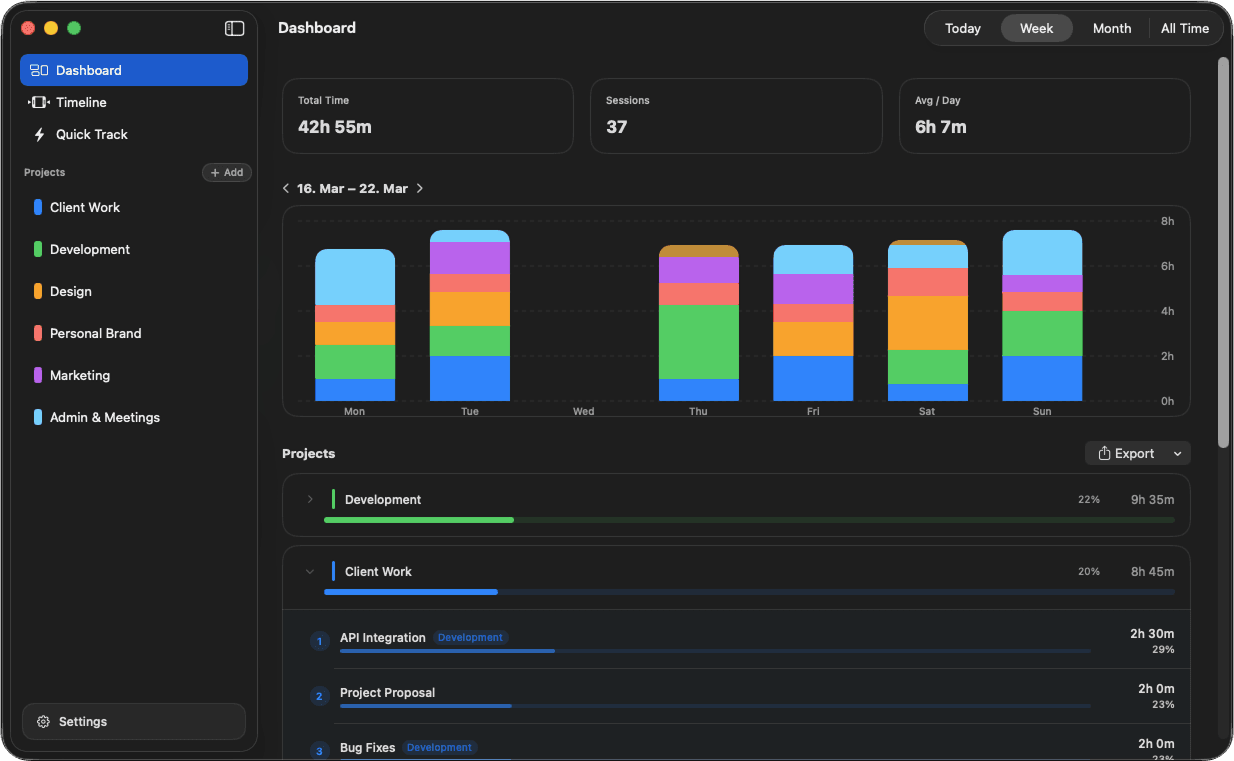
Powerful Features
Dashboard
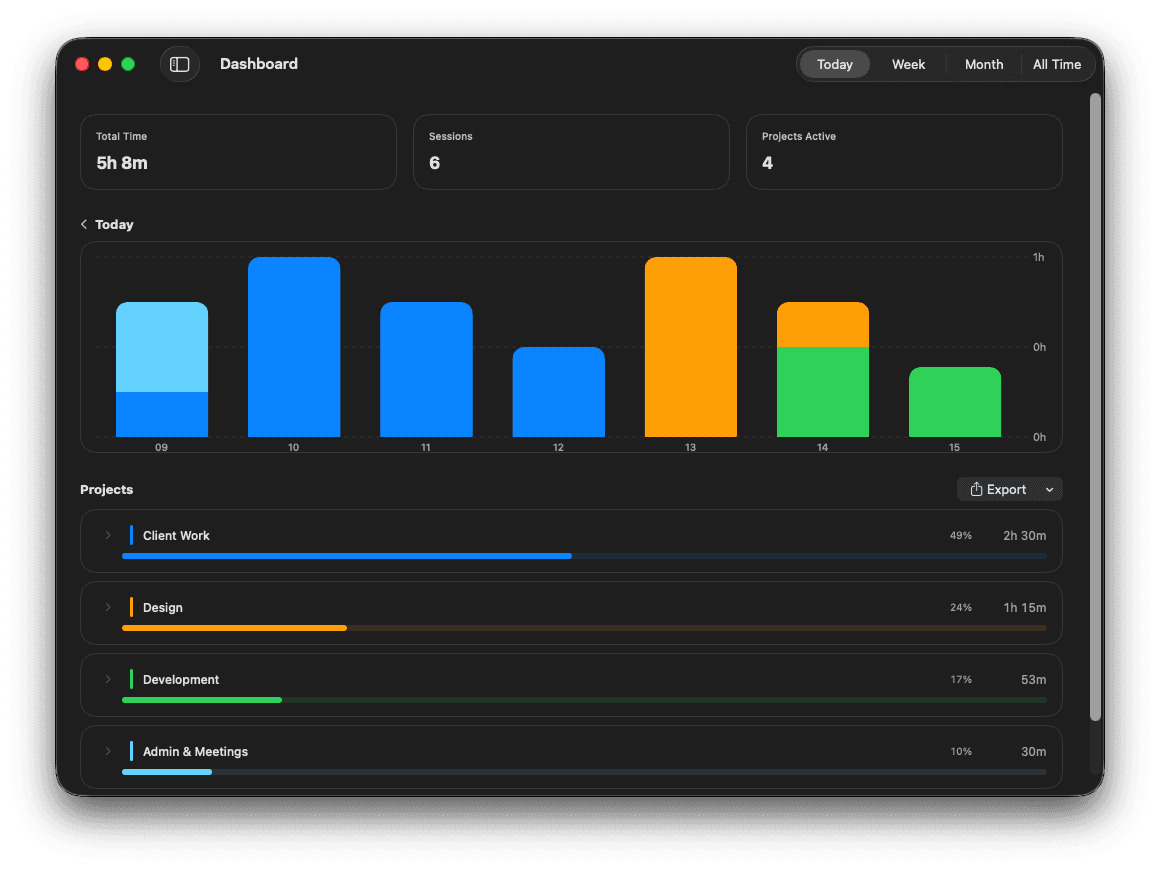
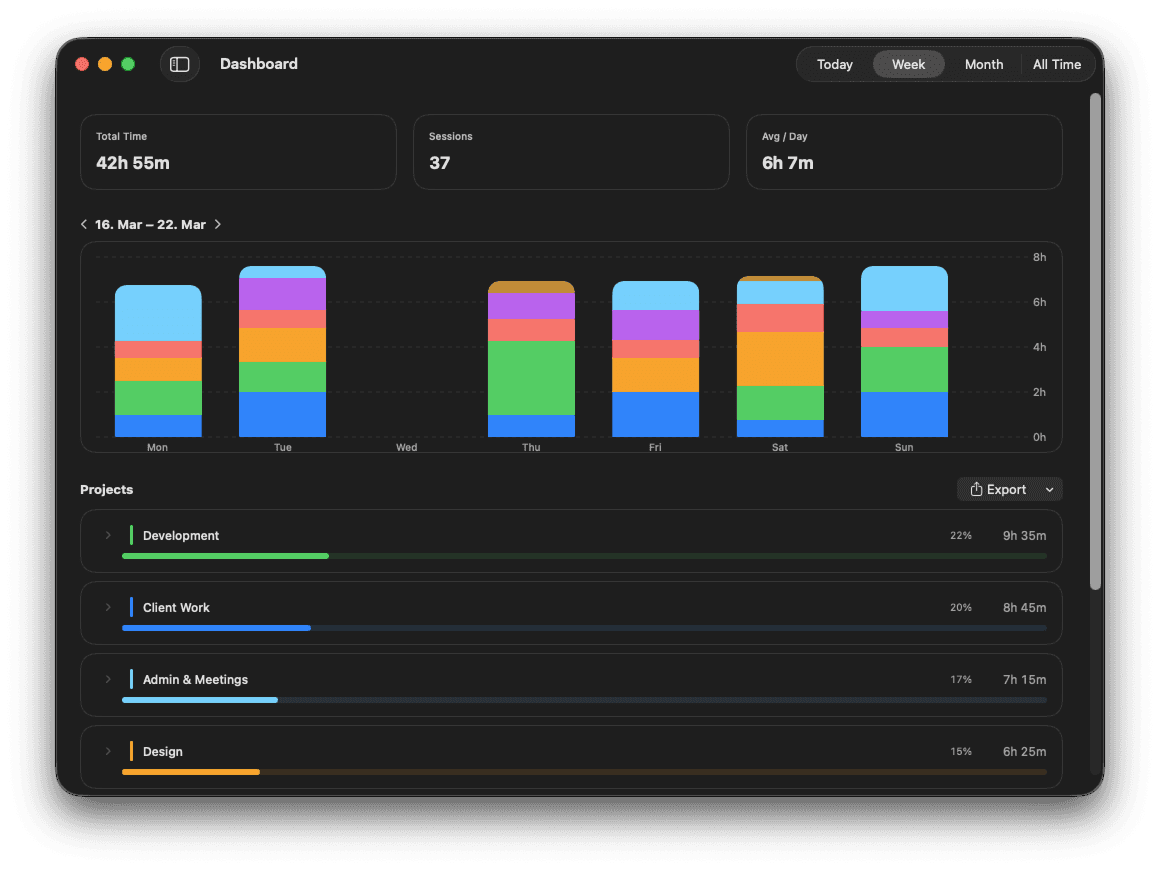
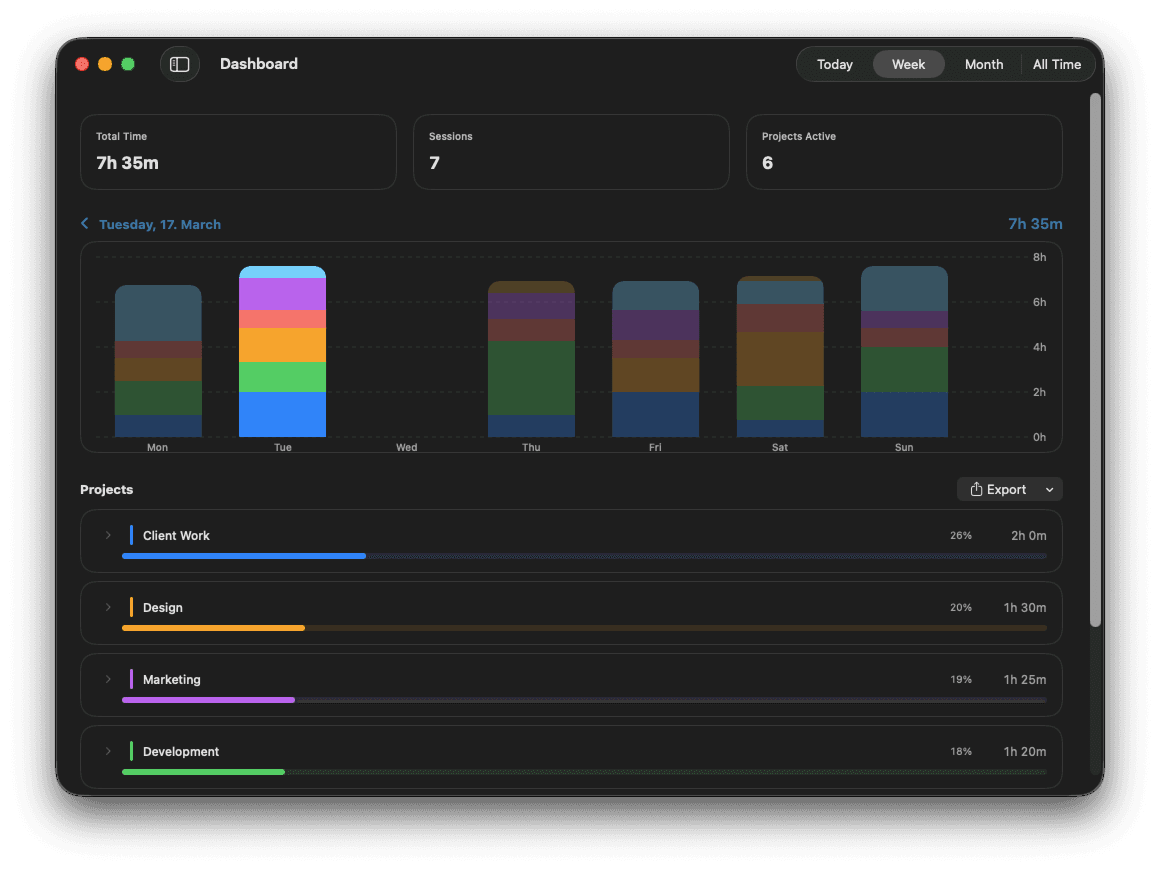
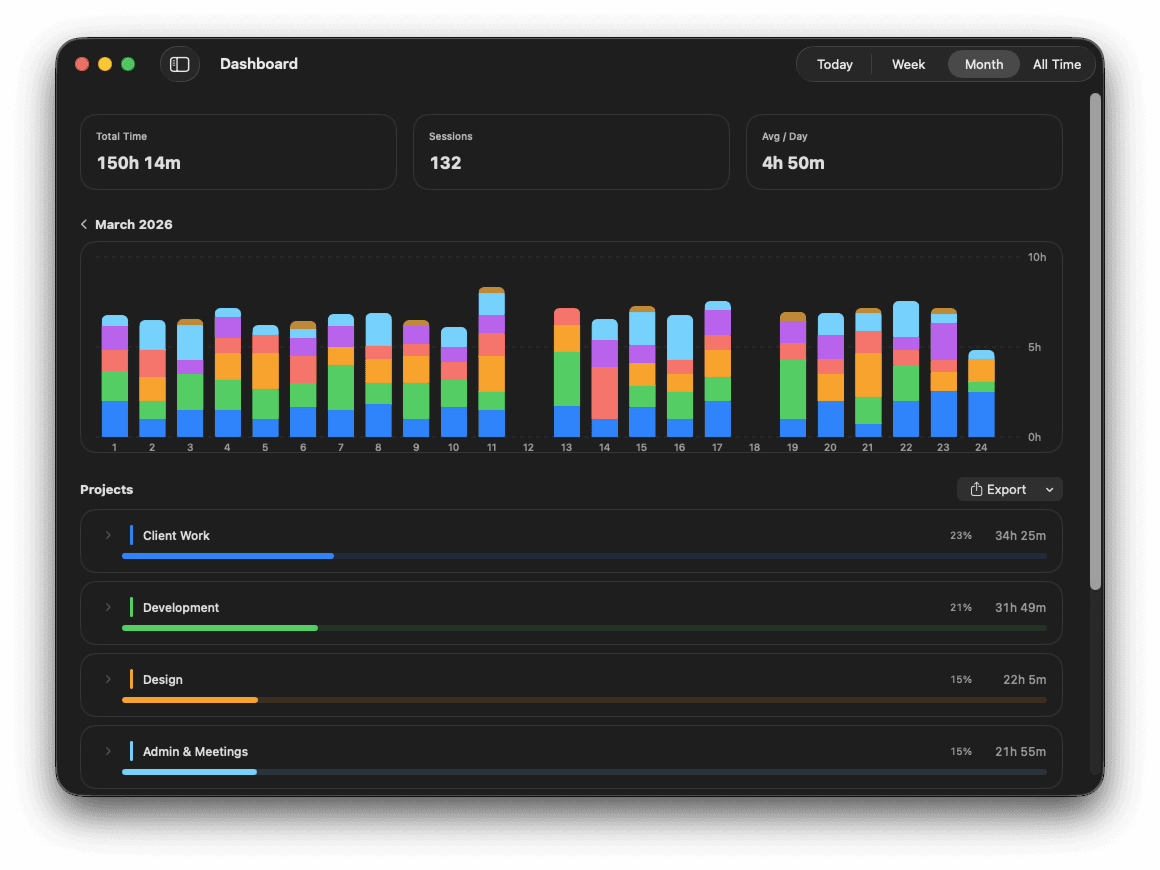
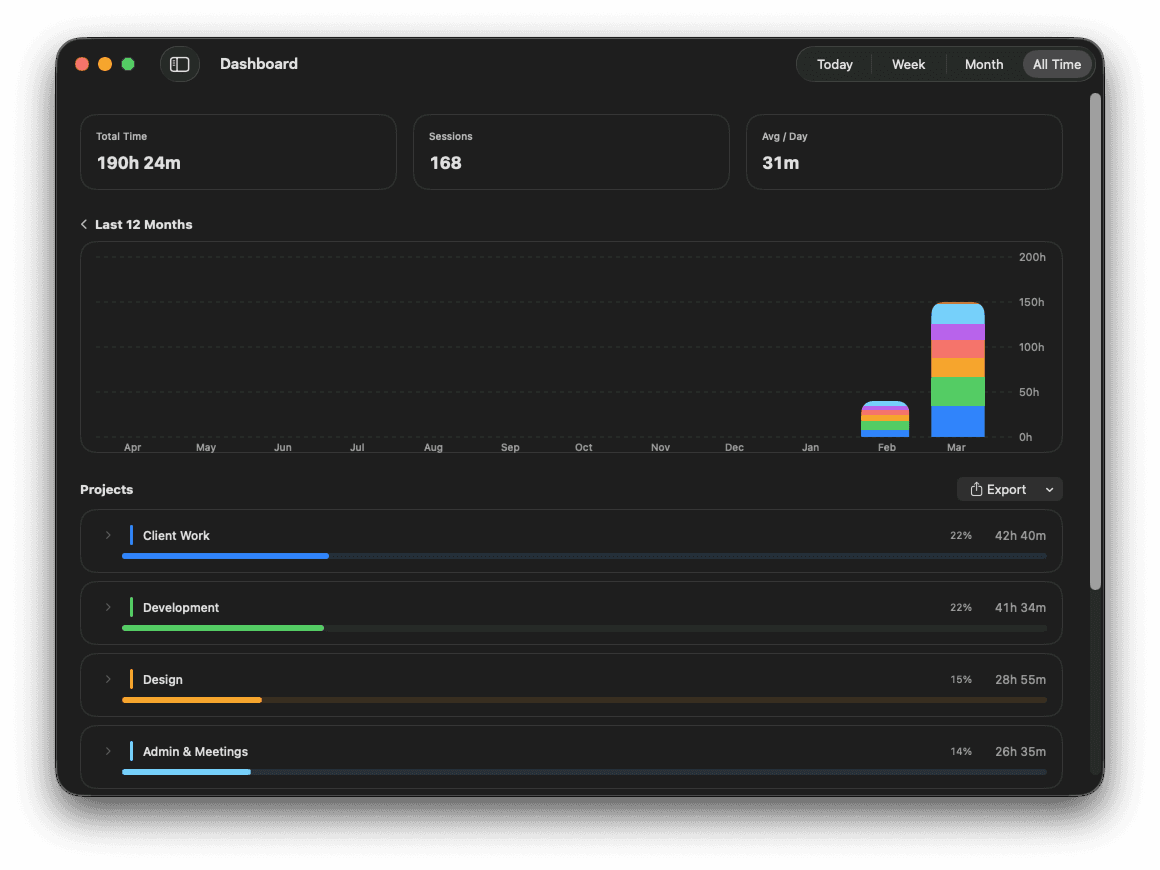
See your tracked time at a glance and inspect how the dashboard behaves before you even download the app. Switch views, then peek into hover and selected states in the weekly chart.
Interactive preview
Timeline
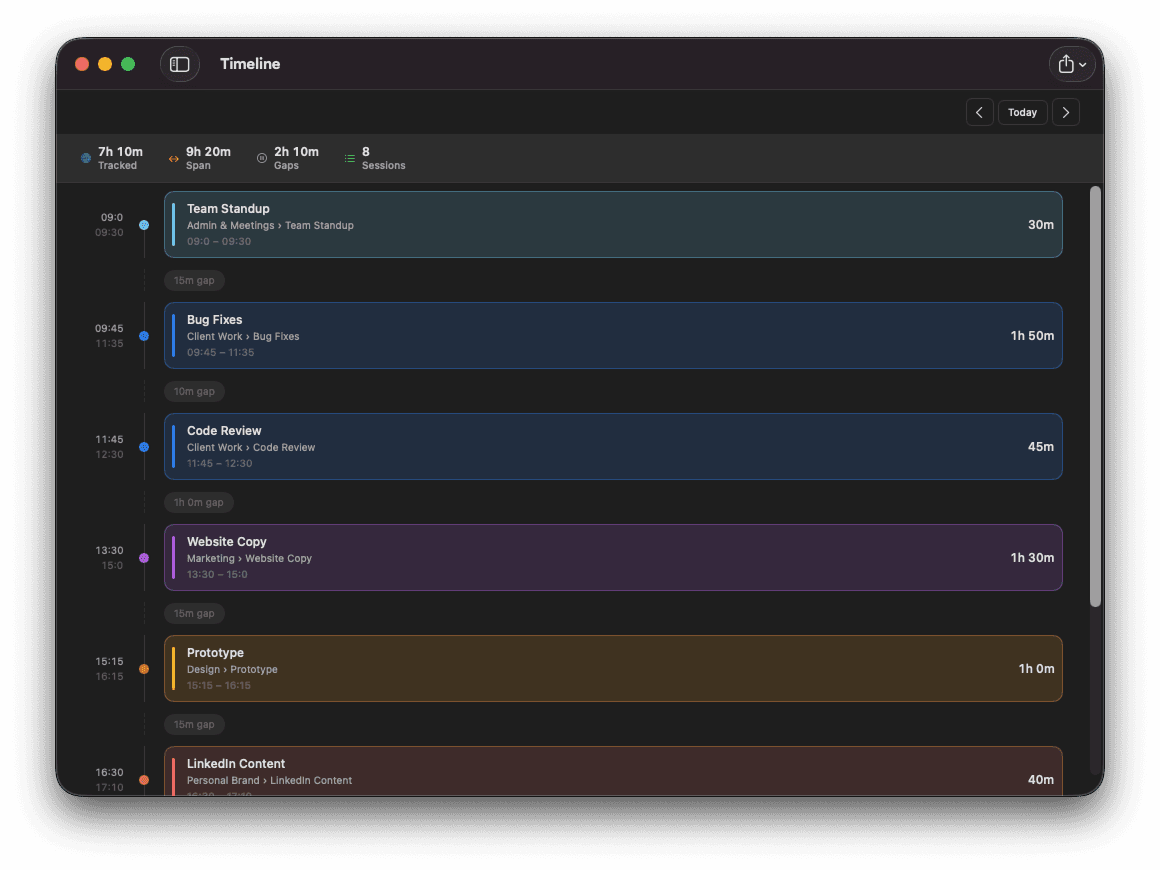
Browse every session chronologically. Gaps, durations, and project context all in one place.
Projects & Tasks
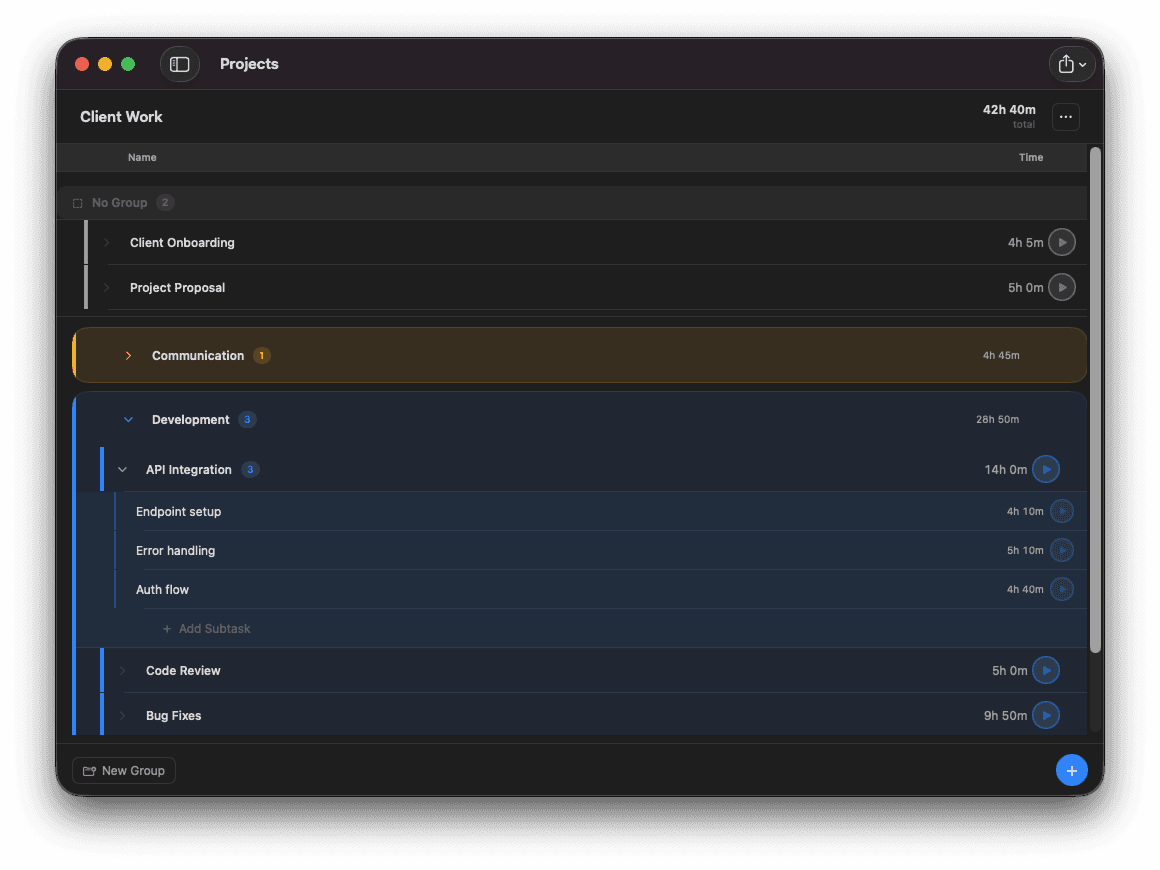
Organize work into projects, groups, tasks and subtasks. Track time directly from the task list.
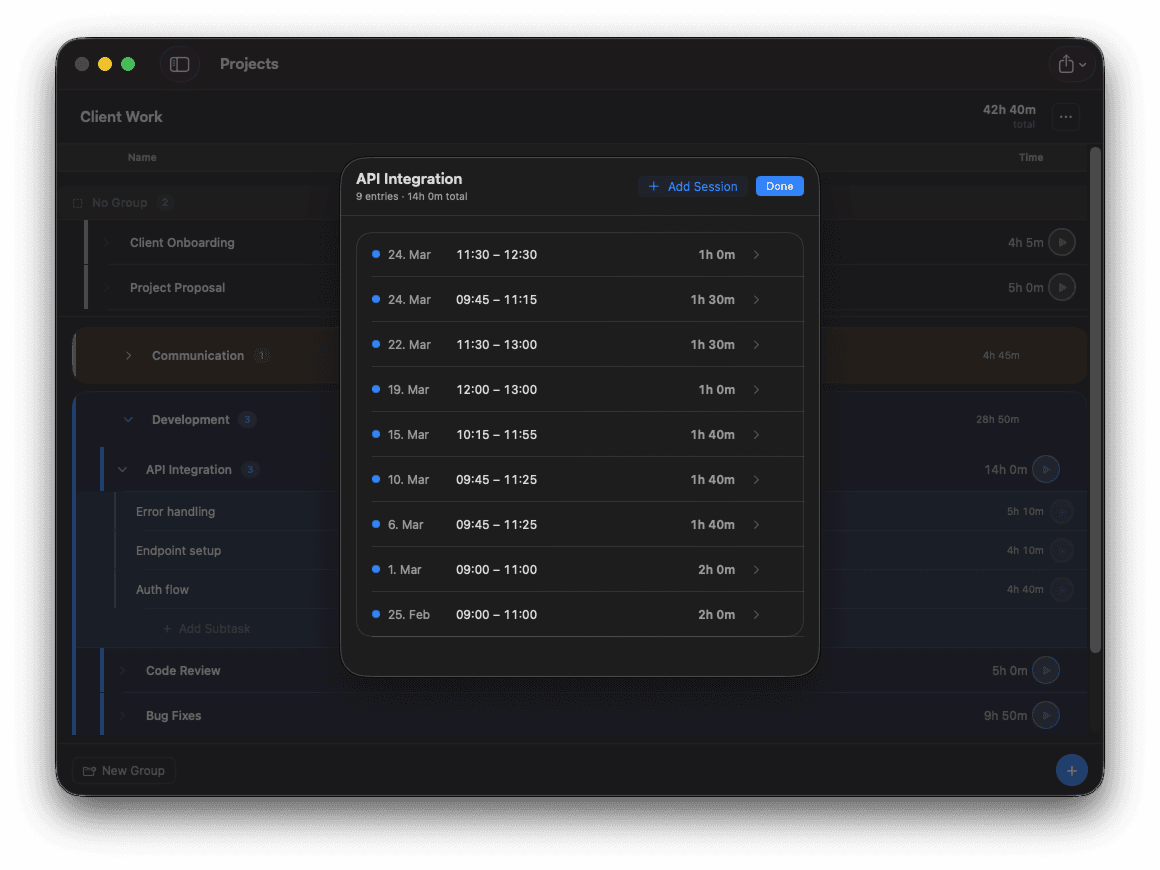
Sessions
Click any task to review all tracked sessions, add manual entries or fix gaps.
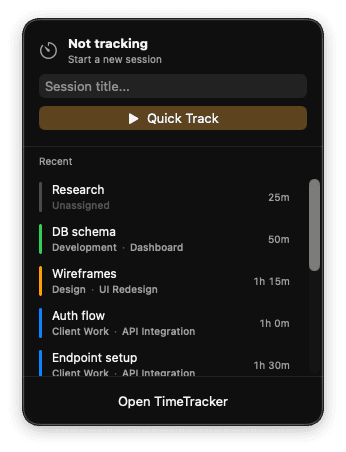
Menu Bar
Start or stop tracking right from the menu bar, keep the current timer visible, and jump back into recent entries without opening the full app.
Product demo
See Timerlytics in action
Simple pricing
Pay once, use forever
Full access. No subscription.

Timerlytics
Lifetime access
One-time payment. Full access forever.
Dashboard, timeline, projects, tasks, menu bar tracking, Quick Track, reminders, and CSV/PDF export included.
Already have a license? Download- ✓All features included
- ✓Works offline — data stays on your Mac
- ✓iCloud sync included
- ✓14-day money-back guarantee
- ✓No subscription. No account required.
Others charge every year
Toggl Track
€108/yr
every year
Clockify
€83.88/yr
every year
Harvest
€132/yr
every year
Frequently Asked Questions
Everything you need to know before buying or getting started.
What is Timerlytics?+
Timerlytics is a macOS app for fast, structured time tracking. You can assign time to projects, tasks, and subtasks, run live timers, add sessions manually, and export your data later as CSV or PDF.
Who is Timerlytics for?+
Timerlytics is built for freelancers, agencies, small teams, and anyone who wants clean, reliable records of their work. It is especially useful if you switch between multiple projects throughout the day.
What is Quick Track?+
Quick Track is made for spontaneous time tracking without assigning work immediately. Start a session with a title, keep moving, and organize it later.
Can I use Timerlytics from the menu bar?+
Yes. Timerlytics includes a menu bar view where you can start new sessions, see the current timer, and quickly restart recent entries without keeping the full app in the foreground.
What reporting views are included?+
The dashboard includes views for day, week, month, and all time. There is also a timeline view that helps you review sessions, durations, and gaps throughout the day.
Can I export my tracked time?+
Yes. You can export your data as CSV or PDF for reporting, invoicing, documentation, or use in other tools.
Does Timerlytics include reminders?+
Yes. You can enable daily reminders and choose the reminder time in settings so you do not forget to track your work.
Can Timerlytics launch automatically with macOS?+
Yes. You can enable launch at login in the settings.
Do I need a license key?+
Yes. Timerlytics is activated with a license key after purchase. Once activated, the app can verify the license in the background so you can keep using it without friction.
Is it a subscription?+
No. Timerlytics is a one-time purchase.
Do I need an account?+
No. You do not need to create an account to use Timerlytics.
Does Timerlytics work offline?+
Yes. Timerlytics works offline, so you can keep tracking your work even without an internet connection.
Does Timerlytics support iCloud sync?+
Yes. Timerlytics can sync your data through iCloud, so your workspace stays in sync across your Macs while keeping the experience native to macOS.
Where is my data stored?+
Your time entries stay on your Mac. Timerlytics is designed to keep your data local instead of uploading your work history to a remote server.